If you want to create links pointing to the same page, you will want to know how to use the Anchor block.
Destination:
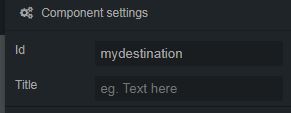
This is the anchor link destination block. It is an invisible block (look at a small transparent square in your canvas) where all you need to set up is the ID value.
Use this block near the section where you want your page to scroll to. In the example, we will use the value mydestination.

Trigger:
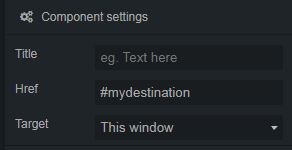
To point a link to any Anchor destination, you need to use a link block. You can put any element (text or image) inside the link block.

And set the href value of the link to #mydestination
Animation (optional):
After checking that your anchor links scroll to the right destination, you may want to change the default vertical scroll “jump” into a smooth one.
You can achieve that easily adding this code just before the closing </body> tag inside the footer.php file of your exported theme.
<script>
jQuery("a[href*='#']:not([href='#'])").click(function(e) {
  e.preventDefault();
  var hash = this.hash;
  var section = jQuery(hash);
  if (hash) {
    jQuery('html, body').animate({
      scrollTop: section.offset().top
    }, 1000, 'swing', function(){
      history.replaceState({}, "", hash);
    });
  }
});
</script>


