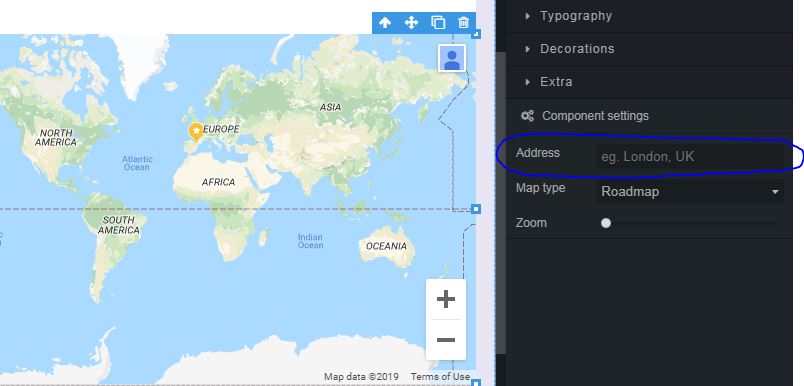
How do I make the address I want appear on the map?

Home Forums I need help How do I make the address I want appear on the map?

This topic contains 1 reply, has 2 voices, and was last updated by  tg_support 7 years ago.

Viewing 2 posts - 1 through 2 (of 2 total)
  • Author
    Posts
  • #663

    sarahors
    Participant

    Hi! I’m doing my subject, and I want to include a map.
    I insert the block in the editor, export to wordpress and I can visualize the map, but not my address. How or where do I have to write it?

    Thank you

    #666

    tg_support
    Keymaster

    Hi Sarah,

    Currently you can manage Google Maps addresses in two ways:

    Using the block “Map”: just write your address in the “Address” field under “Component settings”.

    Using the block “Page content”: you would paste the embed code that Google Maps gives you in any WordPress page of your choice. You will link that page to this block using WordPress customizer.

Viewing 2 posts - 1 through 2 (of 2 total)

You must be logged in to reply to this topic.